Introduction
In May 2021, a contractor for the Cybersecurity and Infrastructure Security Agency (CISA) exposed highly sensitive AWS GovCloud keys and internal system credentials on a public GitHub repository. The leak, flagged by GitGuardian researcher Guillaume Valadon, included plaintext passwords, cloud tokens, and detailed build/deploy procedures. Security analysts called it one of the most egregious government data leaks in recent history. The root cause? A single administrator disabled GitHub's default secret detection feature, then used the public repo as a scratchpad. This incident offers a stark warning for any organization—and a step-by-step blueprint to prevent similar disasters.

This guide will walk you through the essential practices to secure code repositories, avoid credential exposure, and implement robust security hygiene. By following these steps, you can protect your own cloud keys, internal systems, and sensitive data from accidental public exposure.
What You Need
- A GitHub (or similar) account – administrative access to manage repository settings.
- A code repository – either existing or new, that you intend to protect.
- Awareness of sensitive data – know which credentials, tokens, keys, and internal files are considered sensitive.
- Optional but recommended: A secrets scanning tool (e.g., GitGuardian, GitHub Secret Scanning, or TruffleHog).
- Access to a terminal – for setting up git hooks or using command‑line tools.
- Basic understanding of Git and GitHub – commits, branching, push/pull.
Step‑by‑Step Guide to Preventing Credential Leaks
Step 1: Audit Your Current Repository for Exposed Secrets
Before implementing new controls, scan every branch of your repository (including commits, issues, and wikis) for any existing secrets. Use a dedicated scanning tool:
- GitGuardian (the same tool that caught the CISA leak) continuously monitors public repos and alerts you to exposed secrets.
- GitHub’s built‑in secret scanning automatically detects known patterns (e.g., AWS keys, GitHub tokens) and sends alerts.
- Open‑source tools like TruffleHog or Gitleaks can be run locally on your codebase.
If you find any exposed credentials, consider them compromised. Immediately rotate the affected keys, tokens, and passwords. Remove the secrets from repository history using git filter-branch or BFG Repo‑Cleaner.
Step 2: Enable GitHub’s Default Secret Detection Feature
The CISA contractor disabled GitHub’s built‑in protection that blocks users from pushing SSH keys, AWS tokens, or other secrets to public repositories. Do not do this.
To verify the setting is active:
- Go to your repository’s Settings → Security & analysis.
- Ensure “Secret scanning” is enabled (for public repositories it’s usually on by default).
- If you have a private repository, you can still enable it (free for public repos, paid for private).
- Check that “Push protection” is turned on – this prevents any commit containing a recognized secret from being pushed.
Once enabled, any attempt to push a commit with a common secret pattern will be blocked, and you’ll receive an email alert.
Step 3: Never Store Plaintext Credentials in Your Repository
In the CISA leak, a file named importantAWStokens contained administrative AWS GovCloud keys in plaintext. Another file, AWS-Workspace-Firefox-Passwords.csv, listed plaintext usernames and passwords for dozens of internal systems. This is a cardinal sin.
Instead, use:
- Environment variables – store credentials outside the codebase in the runtime environment.
- Secret management services – AWS Secrets Manager, Azure Key Vault, HashiCorp Vault, or GitHub Encrypted Secrets.
- Configuration files that are never committed – add them to
.gitignoreand provide a.env.exampletemplate.
Rotate secrets regularly and never hardcode them.
Step 4: Use a Dedicated Secrets Management Tool for CI/CD
The leaked LZ-DSO (Landing Zone DevSecOps) credentials suggest that secrets were also used in automated build pipelines. Secure these with:
- GitHub Actions Secrets – store tokens as encrypted variables that can only be used in workflows, not exported to logs or code.
- OIDC (OpenID Connect) – for cloud providers, use short‑lived tokens issued by identity federation instead of long‑lived keys.
- Dynamic secrets – tools like Vault generate temporary credentials that expire after use.
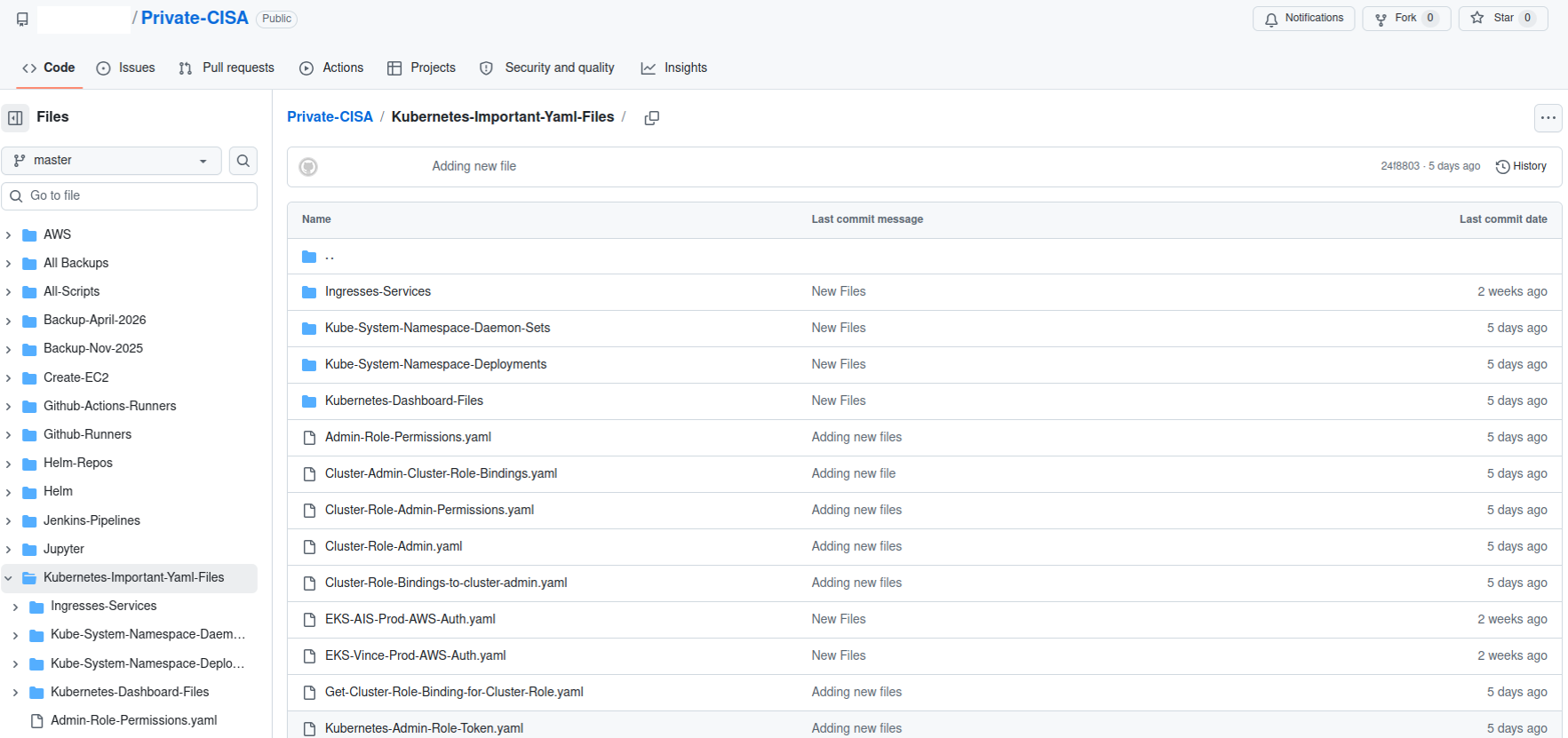
Step 5: Avoid Using Public Repositories as Scratchpads
Security analyst Philippe Caturegli noted that the CISA contractor used the repository as a working scratchpad or synchronization mechanism.
This is extremely dangerous because any temporary file, log, or test script that accidentally contains credentials becomes public.
Best practices:
- Use private repositories for all development work, even for experimentation.
- If you need a public repo, treat it as a release artifact – only push stable, sanitized code.
- Never copy sensitive internal files into a public repo for
backup
– use a secure, encrypted backup solution instead.
Step 6: Implement Commit‑Time Protections with Git Hooks
Client‑side git hooks can catch secrets before they even reach the remote server. For example, use a pre‑commit hook that scans staged changes for patterns like AKIA... (AWS key prefixes) or -----BEGIN RSA PRIVATE KEY-----.
You can use open‑source tools like git‑secrets (from AWS Labs) or pre‑commit hooks from the truffleHog repository. Install them on every developer machine.
Step 7: Regularly Rotate and Monitor Credentials
Even if you follow all steps, secrets can still be accidentally exposed. The CISA leak might have been discovered earlier if the keys were rotated frequently. Implement a schedule:
- Rotate AWS IAM keys every 90 days (or less).
- Use automated monitoring tools (CloudTrail, GuardDuty) to detect unexpected usage of credentials.
- Subscribe to alerts from secret scanning services like GitGuardian, which continuously watch public repos for your organization's patterns.
Tips for Long‑Term Security
- Educate your team – conduct security training on why secrets must never be committed, and enforce policies with code review.
- Use repository templates – include a
.gitignorethat excludes common secret‑holding files (e.g.,*.pem,.env,credentials.csv). - Set up automated scanning in CI – add a job that runs TruffleHog or GitGuardian on every pull request and fails if a secret is detected.
- Limit repository visibility – default to private for all internal projects; only make a repo public after a thorough security review.
- Conduct periodic audits – use GitHub’s security audit log to see who changed settings (e.g., disabled secret scanning).
- Have an incident response plan – if a leak happens, know who to contact, how to rotate all affected credentials, and how to identify the scope of exposure.
The CISA incident was a wake‑up call. By following the steps above, you can avoid becoming the next cautionary tale. Remember: one disabled setting, one scratchpad repo, one plaintext CSV file can compromise your entire infrastructure. Guard your secrets as if they were already public—because with poor practices, they might be.